

Physical Therapy Billing: Verify Authorization and Visit Limits Before the Claim Goes Out
A practical front-end checklist for verifying PT authorizations and visit limits before submission, plus where authorization errors surface in the claim and how to connect denial review back to the authorization record.
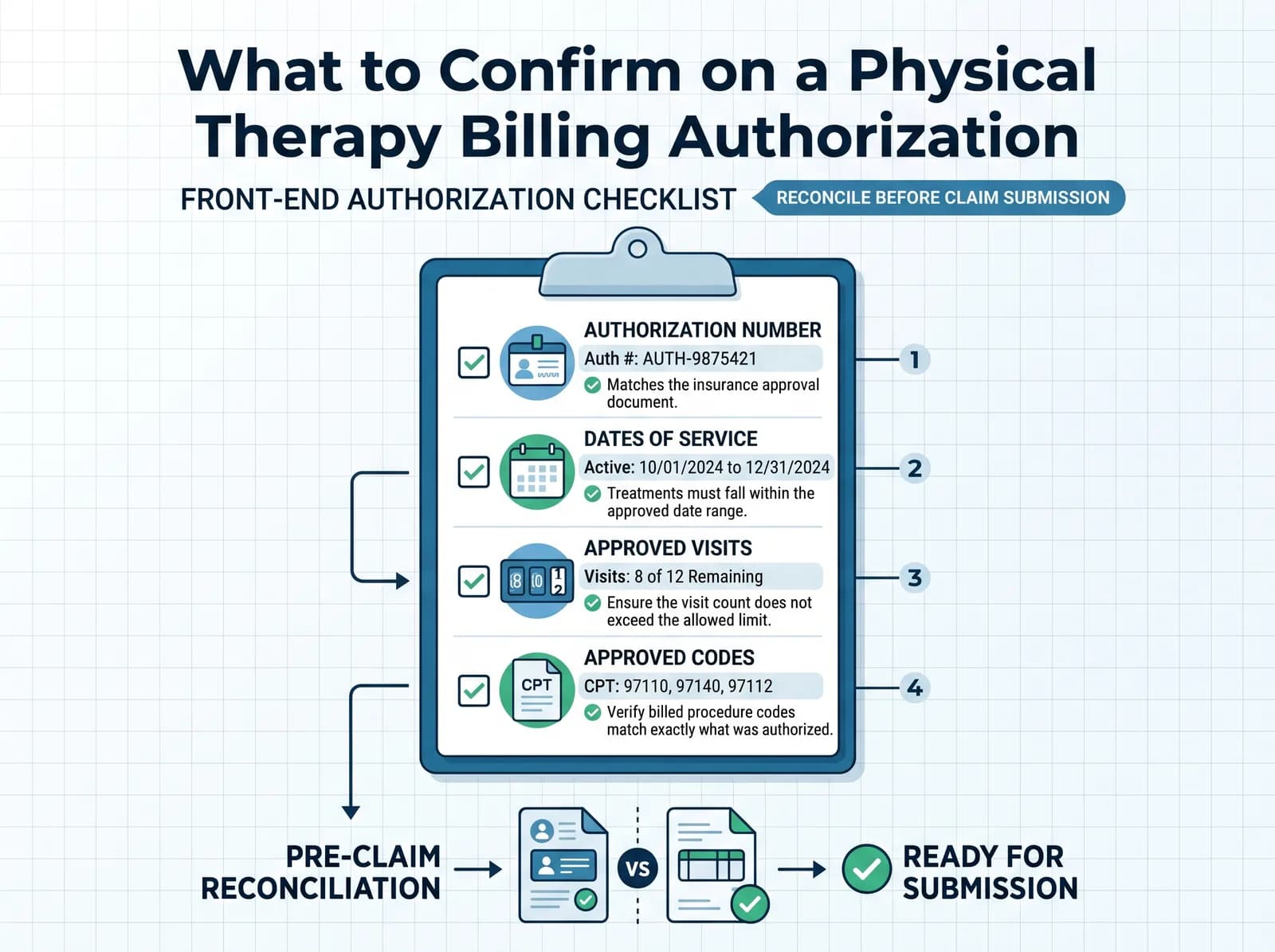
Many physical therapy claims that fail on authorization problems are not denied because someone forgot to request an authorization. They are often denied because the authorization on file did not match the claim that went out: the wrong visit count, the wrong CPT code, the wrong date span, or a visit limit nobody checked until the remittance arrived. For an independent PT clinic, that is a cash-flow problem you can usually prevent with a short, repeatable front-end check.
This guide covers what to verify on a PT authorization and visit limit before submission. It is a process guide, not a coding or legal reference. Payer rules vary and change, so confirm every field against the payer's current provider manual or your payer portal before you rely on it.
What to confirm on a physical therapy billing authorization
Treat the authorization record as a document to reconcile, not a note to glance at. The person who verifies benefits and the person who builds the claim should be checking the same fields against the same source.
Fields to check against payer documentation
- Authorization number and status. Confirm the number is approved, not pending or pended for clinical review, and record the status date.
- Member and plan identifiers. The authorization must match the member ID and plan on the claim. A plan change mid-episode is a common mismatch.
- Provider and facility. Verify the rendering therapist or group and the location are covered. Multi-site clinics should check each site separately.
- Dates of service. Note the start and end dates of the authorization window and compare them to the dates you are billing.
- Approved visits or units. Record the number approved, how the payer counts it (visits versus units), and how many have been used to date.
- Approved procedure codes. Confirm the codes on the authorization match what your clinicians actually delivered. If the plan of care changed, the authorization may need to change with it.
- Diagnosis linkage. Check whether the payer requires the authorization to reference specific diagnoses, and whether your claim's diagnosis supports the authorized services.
- Referral or plan-of-care requirements. Some plans require a referral or a certified plan of care before treatment. Verify what your payer requires rather than assuming.
Keep this as a single authorization record per patient episode, with a field for "verified by" and "verified on." When a denial arrives, that record tells you within minutes whether the problem was authorization or something else.
Visit limits and units: what to verify, not assume
Visit limits are where relying on memory causes the most expensive mistakes. Therapists and front-desk staff often "know" a plan allows a certain number of visits per year, or that a certain number of units equals a visit, and that knowledge is frequently out of date or was never quite right.
Check the payer's current guidance, not last year's note
Before you bill a visit near or past a limit, confirm the following against the payer's current official guidance or your portal:
- Whether the plan counts visits, units, or time-based units, and how each is defined for that plan.
- Whether the limit resets on a calendar year, a plan year, or a rolling period.
- Whether the limit applies per body part, per episode, or per patient across all providers.
- Whether services beyond the limit require a new authorization, a re-authorization, or a different review process.
- Whether the limit interacts with a separate authorization threshold, so that a visit can be within the limit but still unauthorized.
Do not state a specific visit count or unit conversion as a rule in your internal documentation unless you have pulled it from the payer's current guidance for that plan. Where the payer's guidance is ambiguous, call the payer, note the reference number and the representative's name, and keep that note with the authorization record.
Track usage as you go, not at the end
The clinic's scheduling or EHR system should show authorized visits approved, visits used, and visits remaining. Reconcile that count against your billing system at least weekly. If the two systems disagree, resolve it before the next claim goes out, not after a denial.
Where authorization errors surface in the claim
Authorization problems rarely announce themselves at the front desk. They surface later in predictable places:
- Claim edits and scrubs. Some payers reject claims at submission when the authorization number is missing or does not match the member or dates; specific edit behavior varies by payer. These are the easy ones.
- Denials for "no authorization" or "authorization not on file." Often the authorization exists but was entered with a typo, an expired date range, or the wrong provider.
- Denials for "visits exceeded" or "units exceeded." These usually mean the usage count was not reconciled before billing.
- Partial payments. A payer may pay some units and deny others, which is harder to spot than a full denial and easy to write off by mistake.
- Retroactive takebacks. A payer may recoup payment later if the authorization did not cover the service. Review remittance advice for these adjustments, not just initial denials.
The fix is to connect the front-end check to the denial review. When a denial cites authorization, the reviewer should open the authorization record and compare it field by field to the claim. If the record was incomplete, that is a process gap to close, not just a claim to appeal. If the record was complete and the payer's decision conflicts with it, that is an appeal with documentation. Our denial management services for authorization-related denials and prior and retro authorization services pages describe how those two paths differ.
A short pre-submission checklist
Before a PT claim leaves the building, confirm: authorization approved and unexpired; member, provider, and location match; dates of service fall inside the window; approved codes match delivered services; visits or units used are within the approved count; and the authorization record shows who verified it and when. If any item is unclear, hold the claim and resolve it. As a practical rule of thumb, a one-day hold is often less costly than a denial and an appeal.
For clinics that want the front-end verification handled alongside claims and A/R, our physical therapy billing services for independent clinics work runs inside the systems you already use, and our eligibility and benefits verification service covers the checks described here. If you are weighing in-house versus outsourced work, our guide to in-house vs. outsourced medical billing lays out the tradeoffs without a sales pitch.
What to do next
If authorization denials are showing up in your remittances and you are not sure whether the cause is the front-end check or the payer's decision, start with a review of your last few months of authorization-related denials against your authorization records. That comparison usually shows the pattern quickly.
If you would like a second set of eyes, contact us or schedule a conversation. We will review what you have and share our observations, leaving the decision with you.
Sources and verification
This article is a process guide based on general revenue cycle practice. It does not cite payer-specific rules, visit limits, or coding requirements, and none should be inferred from it. Verify all authorization, visit-limit, and unit rules against the payer's current official provider guidance or portal before billing. For authoritative rules, consult the payer's current official provider manual or portal. No external sources were used to support the process guidance in this article.
Where this work connects
Related articles.
 Revenue Cycle Management
ED and Urgent Care Under One Organization: A Billing Comparison Checklist
A practical checklist for operations leaders comparing ED and urgent care billing workflows, covering where they diverge, shared front-end checks, and what to verify before combining or separating processes.
Read article Revenue Cycle Management
Urgent Care Front-End Checks: Eligibility and Charge Capture Before Volume Compounds
A practical guide for urgent care operations leads to standardize eligibility verification, registration data, and charge capture at the point of visit, with process metrics to confirm improvement.
Read article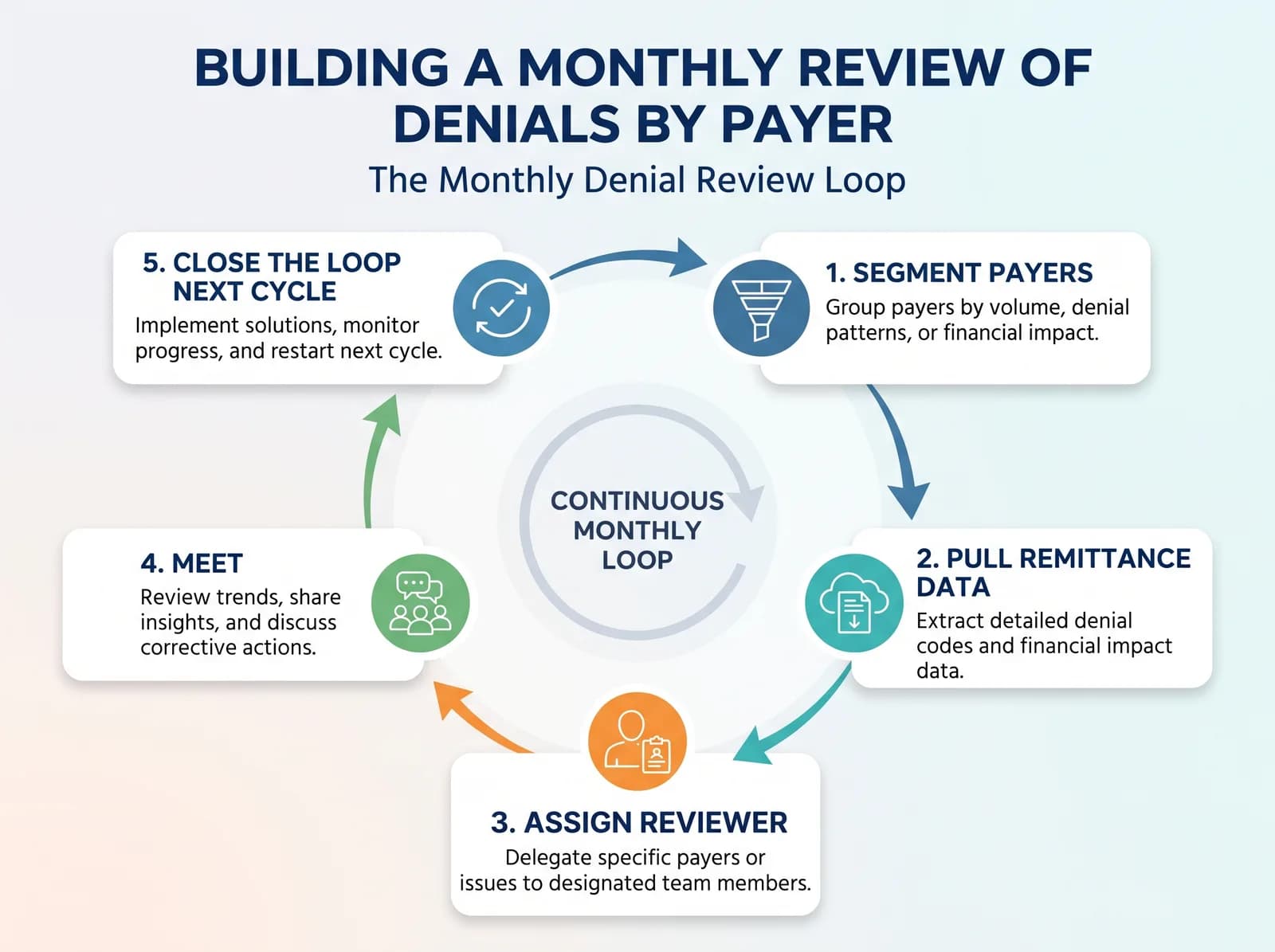 Revenue Cycle Management
Payer-Specific Denial Patterns: Build a Review Routine
A practical monthly routine for independent practices to segment denials by payer, verify findings against official payer guidance, and route fixes back to the front end.
Read article